
Flash French1.2 - Google Play
You'll be able to see results in few seconds.
Publisher Description
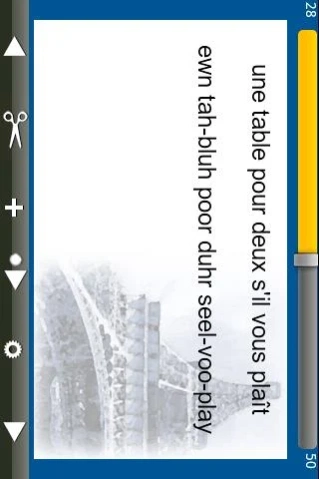
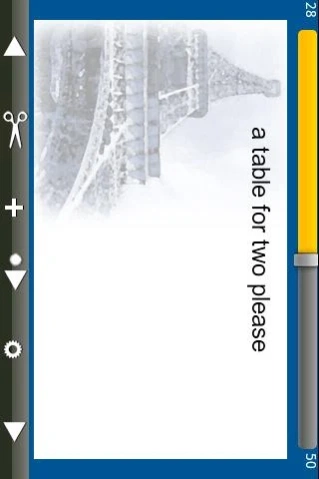
Flashcards for learning 50 essential phrases every traveler to France may need.
Flash French is a simple, easy to use Flashcard App for learning 50 essential phrases every traveler to France may need.
Features
50 essential phrases in French and English with a phonetic pronunciation of the French phrase.
Touch the card face and the card flips to show the translation on the back of the card.
Press Forward, Backward to move one card or choose to Play cards automatically at 3 different speed levels. Drag the Slider position to move rapidly to a new position in the deck.
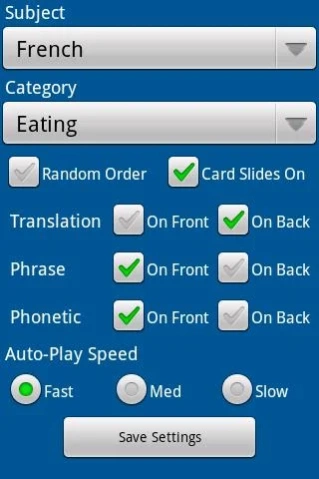
Filter cards by Subject and Category - for example, you might have different Categories such as Eating Out, Greetings, Transportation - view any single category or all categories at the same time.
Display cards in a Random order or Sequentially and turn on/off Card Slide animation if you find it too distracting.
Choose to display the English Translation, the Phrase and the Phonetic Text on the front or the back of the card in any combination.
Load entire card decks from a comma delimited file you post on an internet website.
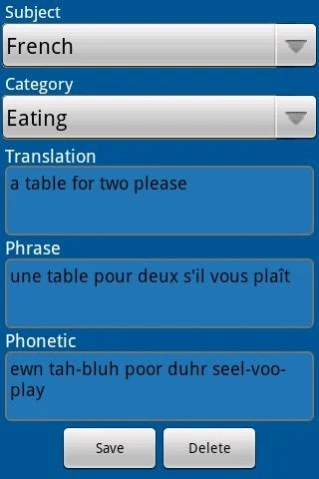
Add new cards or Edit/Delete existing cards through the App on your device to ensure you have just the phrases that you will need most.
Flash French was designed to be simple and efficient and fulfill its single purpose well. It does not include any audio phrases, nor does it keep score of any test runs. There are other applications that provide that capability, though, they cost a lot more.
Merci Beaucoup!
About Flash French
The company that develops Flash French is Michael Dougan. The latest version released by its developer is 1.2.
To install Flash French on your Android device, just click the green Continue To App button above to start the installation process. The app is listed on our website since 2011-09-27 and was downloaded 0 times. We have already checked if the download link is safe, however for your own protection we recommend that you scan the downloaded app with your antivirus. Your antivirus may detect the Flash French as malware as malware if the download link to com.michaeljdougan.flashfrench is broken.
How to install Flash French on your Android device:
- Click on the Continue To App button on our website. This will redirect you to Google Play.
- Once the Flash French is shown in the Google Play listing of your Android device, you can start its download and installation. Tap on the Install button located below the search bar and to the right of the app icon.
- A pop-up window with the permissions required by Flash French will be shown. Click on Accept to continue the process.
- Flash French will be downloaded onto your device, displaying a progress. Once the download completes, the installation will start and you'll get a notification after the installation is finished.
Program Details
System requirements
Download information
Pricing
Version History
version 1.2
posted on 2011-09-27
Updated to support HD resolution.
Disclaimer
Official Google Play Link
We do not host Flash French on our servers. We did not scan it for viruses, adware, spyware or other type of malware. This app is hosted by Google and passed their terms and conditions to be listed there. We recommend caution when installing it.
The Google Play link for Flash French is provided to you by apps112.com without any warranties, representations or guarantees of any kind, so access it at your own risk.
If you have questions regarding this particular app contact the publisher directly. For questions about the functionalities of apps112.com contact us.
